Mega Man Dual Override Dual Override Controls
What Gamescom 2026 builds actually mapped, plus how to think about keyboard and last-gen pads.
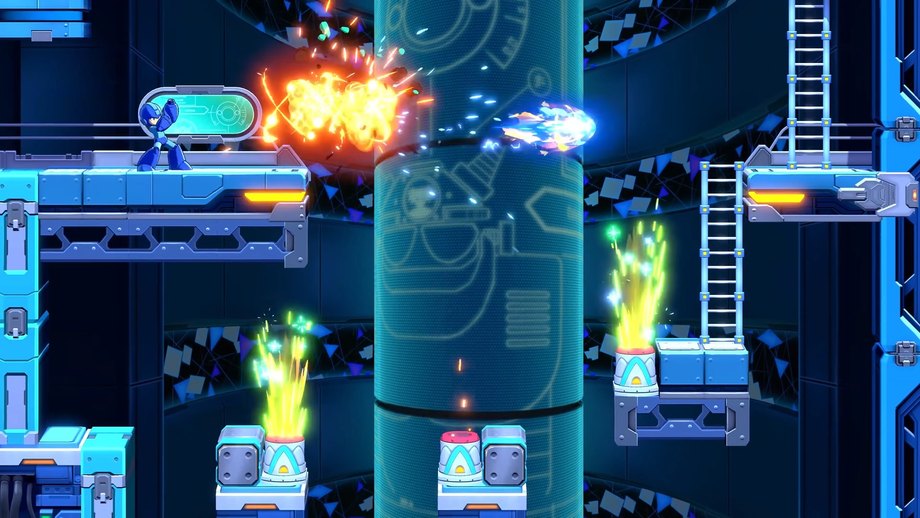
Mega Man Dual Override still plays like a side-scrolling buster game: run, jump, slide, shoot, charge. The 2026 hands-on builds changed a few chords that Mega Man 11 players will trip over. This page records those mappings without inventing a final PC key list Capcom has not published.
Read it with Getting Started if you need the campaign loop, and with Override if you only care what the shoulder buttons spend.
Movement and fire
The series verbs are intact. Left and right walk. Jump is a face button. Fire is a face button. Charge is hold-fire. Dual Override still aims forward unless a chip or Override state changes the shot pattern. Previews repeatedly noted that the game remains a one-direction shooter in the classic sense. You are not getting a full 360 aim stick.
Slide is the quality-of-life change. On PlayStation demo hardware, slide sat on Circle instead of the Mega Man 11 down-plus-jump combination. German PlayStation Blog coverage called this out specifically: chaining slide into jump is cleaner when slide is its own button. Expect Xbox to mirror that on B or a comparable face button, and Nintendo to use a dedicated A/B pairing. Until a PC overlay appears, map slide to a key you can hit without leaving jump.
This matters because Dual Override rooms still hide spikes, low tunnels, and enemy shots at knee height. A dedicated slide also makes the Twinkle Girl dash patterns easier to duck under once you stop thinking about a two-key chord.
Shoulders: chips versus Override
Hands-on reports put Custom Actions on a trigger (R1/R2 or RT depending on the writer) and Override on the opposite bumper (L1/LB). Capcom has not shipped an options screenshot, so treat the side as swapable in your head. The important split is conceptual:
- Custom Action: the chip you equipped on the area door. Barrier. Double Charge dump. Rush Coil. Cooldown based.
- Override: the limiter release. Gauge based. Hangover after.
If you bind both to the same finger cluster, you will panic-press the wrong one. On a keyboard, put Override on a modifier you will not brush while jumping. On a pad, keep chip and Override on opposite shoulders the way the demo did.
Weapon switch should still live on a d-pad or bumpers once Special Weapons exist. Dual Override has not shown a full weapon menu in a public pause screen, but the series convention is unchanged: one Special Weapon at a time, energy cost unless Override is waving the fee. See Custom Chips for why Rush may occupy the action button instead of a weapon slot in some presets.
Charge ladder
Outside Override you have a normal shot and a Charge Shot. The attack chip preset auto-fills charge and can fire a Double Charge Shot as its Custom Action. Inside Override, even a no-chip run upgrades the ladder: burst fire, Double Charge Shot on a normal charge, Final Charge Shot on a long hold. If your thumb cannot hold fire while jumping, the attack chip is the accessibility option, not a cheat. The difficulty options page is explicit about that.
Proto Man’s fire button is the same idea with different consequences. His shield work wants a free hand more often than Mega Man’s. Until Capcom publishes a Proto overlay, assume jump, slide, fire, chip, and Override occupy the same slots, and that blocking or shield-bashing may be a hold or a chip. Details belong on the Proto Man guide.
Platform notes
Dual Override is coming to Nintendo Switch 2, Nintendo Switch, PlayStation 5, PlayStation 4, Xbox Series, Xbox One, Steam, and Epic Games Store. Full controller support is listed on Steam. Steam Input is listed. Keyboard bindings are unlisted. If you plan to play on PC, wait for the first options trailer rather than copying a Mega Man 11 INI.
Switch 2 handheld footage from VGC ran at 60 fps. That does not guarantee every last-gen build will match that feel. If slide and charge already feel heavy on a preview clip, check the platforms page before you buy a last-gen version on day one.
Practice without the game
You cannot change Dual Override’s binds yet, but you can rehearse. In any classic Mega Man, stop using down-plus-jump as your only slide. Bind slide to a dedicated key in a modern collection if the port allows it. Practice holding charge through a jump without releasing on landing. Those two habits are what the 2026 demo kept rewarding.
When Capcom publishes a final overlay, this page will add tables for each platform. Until then, the news hub is the alert channel, and Official Links points at Capcom and Steam so you are not learning binds from a random thumbnail.
Frequently Asked Questions
Quick answers pulled from Capcom's 2026 previews and official notes.
Is slide still down plus jump?
Not in the PlayStation Gamescom build. Slide was a dedicated face button. Expect other pads to mirror that. Mega Man 11 muscle memory will fight you for a day.
Which button is Override?
A bumper/shoulder in the demo, opposite the Custom Chip action. Capcom has not posted a final overlay. See Override system for what the button spends.
Are PC keybinds public?
No. Steam lists full controller support and Steam Input. Wait for a settings screenshot rather than copying Mega Man 11 keys.
Does Proto Man use different buttons?
The action set should match. His shield changes what those buttons do. Read the Proto Man guide rather than hunting a second overlay.
Can I remap on console?
Unknown. Use system-level remaps if Dual Override ships without an in-game overlay. Confirm on the platforms page after launch options appear.